Client Role Start and End Dates
Clients can have start and end dates for roles when they are added. These are noted as “Start Date” and “Expiry Date” when adding a role
When adding a new role
Select the **Role Code **you wish to add
Add the optional description of the role if needed
Add the Start Date for entry of the role
Add the Expiry Date for the expiry for the role
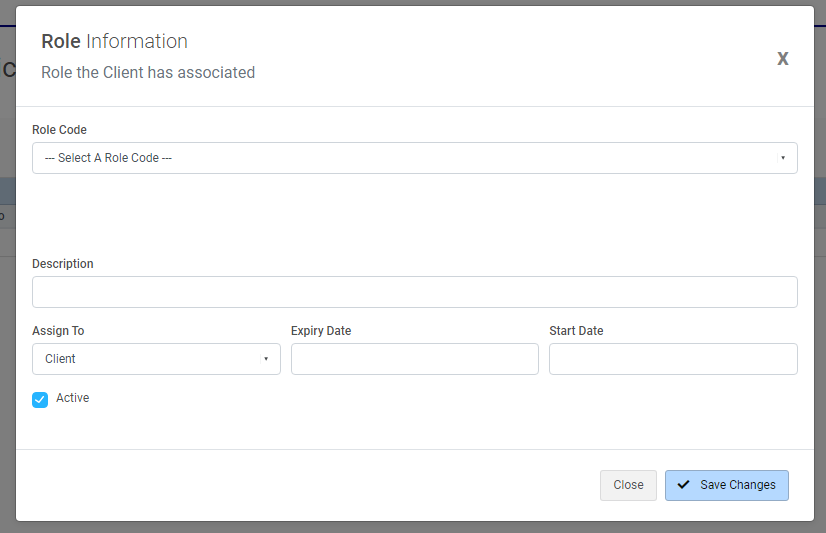
You can optionally choose to add the expiry date and start date on role entry. You can add to these values AFTER you have made the role, by editing the role

Start On and Expiry fields will be shown where applicable on the Client > Roles screen (red above) Use the “…” for the role to edit and adjust the **Start On/Expiry Date **fields as required
client
date
end
expiry
role
start