Stripe Webhooks to Profiler
When using the Stripe payment processor and a website that does not support data sending to Profiler natively, you can send each transaction to Profiler RAPID processing from the Stripe web platform.
This will be received like a normal payment and allocated the default OLDON (online donation) source code.
To set this up in Stripe (not Profiler) follow the following instructions:
1. In Stripe
- Go to https://dashboard.stripe.com
- Sign in to your Stripe account
2. Navigate to Webhooks
Click on **Settings **and then “Developers”
If you need to switch to the Workbench, do that.
Click on “Webhooks”
Click the “Add destination” button
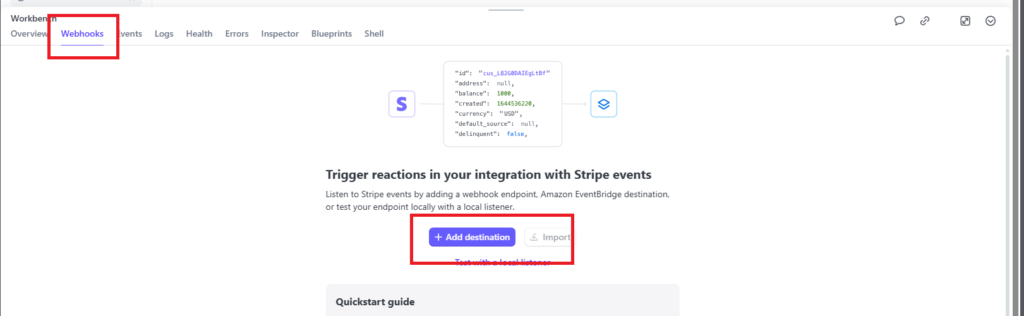
3. Configure Your Webhook Endpoint
Select the latest API version (newer or equal to than 2025-07-30.basil)
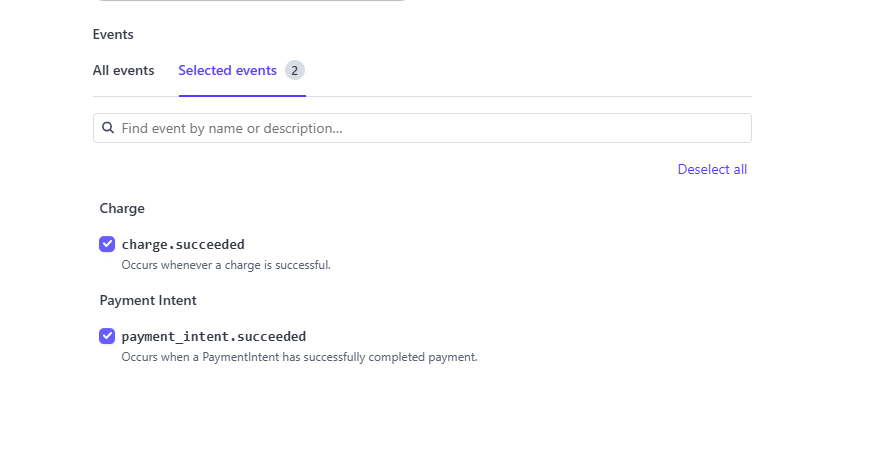
In the events section, select
- Charge – charge.succeeeded
- Payment Intent – payment_intent.succeeded
This means on those successful events (a successful payment) they will be sent to Profiler, and click on Continue
Endpoint URL:
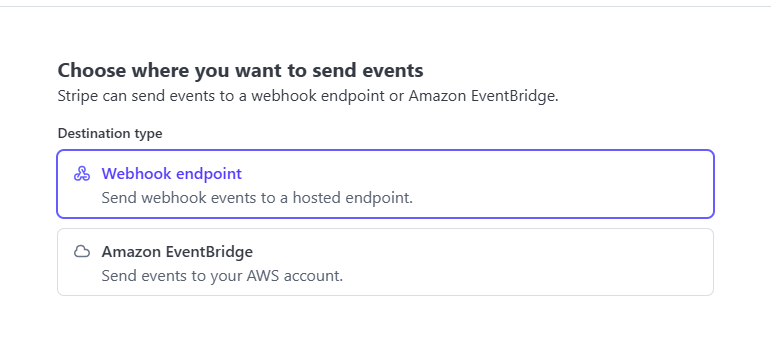
If asked, choose webhook endpoint and click Continue
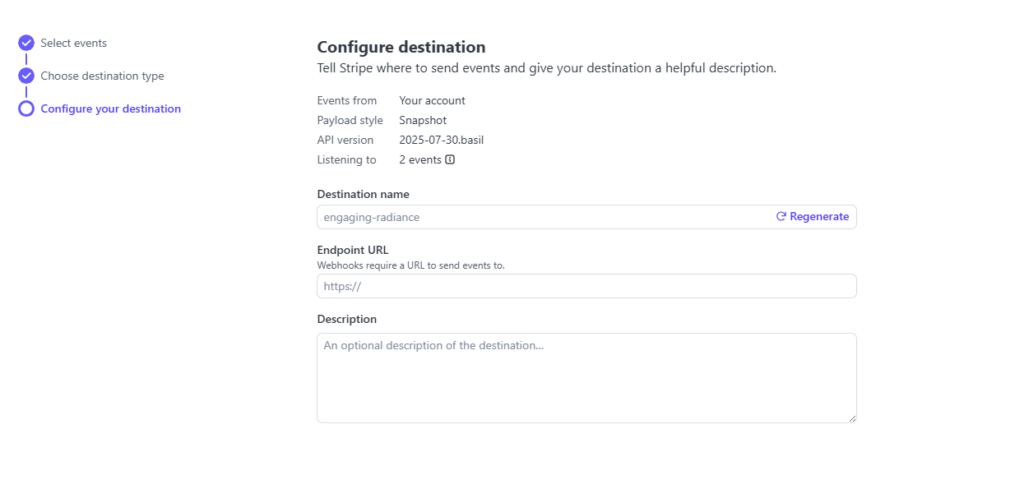
In the **EndPoint URL **you need to enter in your profiler information – this is the Profiler Core API server.
For example if you access Profiler as the URL https://companya.profilersystem.com the URL you would need here is
https://companya.profilersoftware.com/api/webhook/stripe
Note that you will access the system at profilersystem.com but you will need to put in profilersoftware.com for the webhook/API access
Once you have completed this click Create Destination and then payments made via stripe will be sent to RAPID for matching into Profiler as a normal online payment integration