Enabling automatic memberships via RAPID
By default Profiler will not automatically create a membership payment received via RAPID.
This allows a Profiler user to check the details and ensure any relevant membership types are mapped correctly before the membership is created.
These memberships will just sit waiting in Help in RAPID – however, you can enable them to be automatically matched and created should you be happy with the mapping process.
We recommend manual integration on new websites/new customers for the first few months to ensure all fields and combinations are correctly flowing through to Profiler.
To enable the automatic matching head to **Setup > Integration > General Integration Settings **and in the set of options enable Allow AutoCreate of Membership (MEM) payments
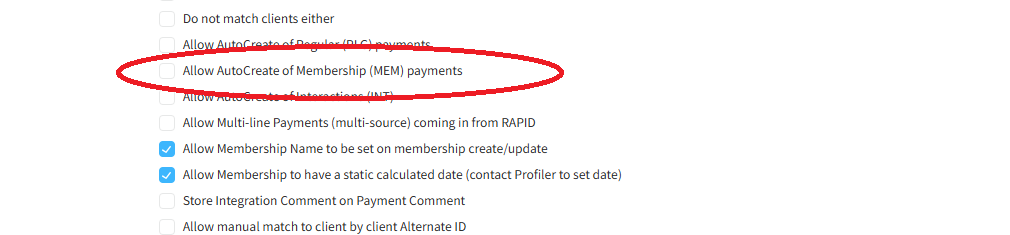
This will then create memberships (where possible) to existing clients, un-matched clients will stay in RAPID for manual integration. If you wish to enable Profiler to create new clients, you should enable **Auto Create New Clients when not matched to an existing **further up the options list
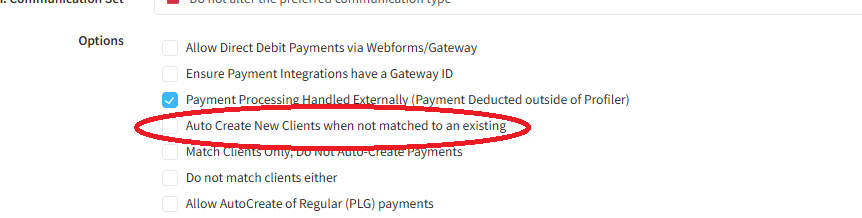
There is a chance depending what details clients enter into your web form – duplication of clients will occur when enabling the auto create new clients option
Make the changes you need and scroll to the bottom and click **Save Changes, **the changes will apply immediately to any incoming payments.