Expiring Mailing List subscriptions on making Client Inactive
By default when a client is made inactive, a snap shot of their subscriptions to mailing lists will be kept. This KB article shows you how to set the client mailing list subscription for the subscribed lists to “Never” when the client is made inactive.
When creating a mail-out through the mailing list wizard or Browse List, by default, Clients who are inactive will not be included on this list
To set this option go to Setup > Generic Parameters > Client Screen Settings and the field Remove Mailing Lists when Client is Inactivated
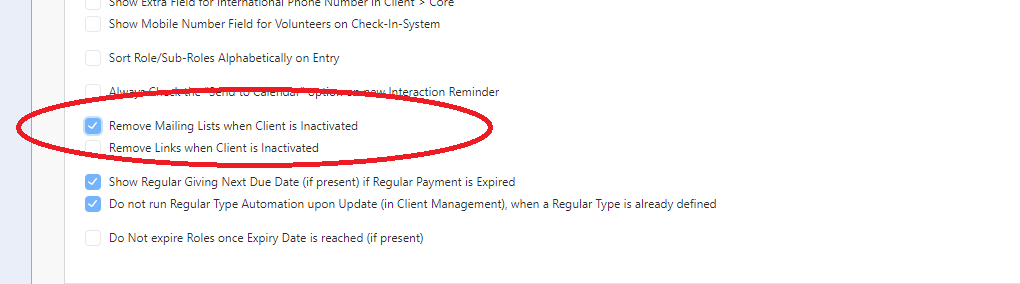
If you set this as ticked, and scroll down and click Save Changes all Mailing Lists will be set to Never when a client is made inactive.
inactive
mailing
never