Hide “Accept/Pay” option in Sales Portal
If you wish your clients not to be able to accept and pay for Sales Contracts that have been delivered to them, but not yet paid or accepted, you can turn off the feature.
From Sales > General Setup
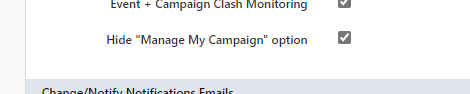
In the general sales setup section, tick the **Hide “Manage My Campaign” **option, and scroll to the bottom of the page and click Save Changes
Any client PDF/accept documents generated from now onwards will not have the link for the customer portal for acceptance and/or payment.
accept
hide
payment